

Helpful Summary
- Overview: We do a deep dive into remote online notarization (RON). We explain the process, benefits, use cases, and legal status in the United States and abroad.
- Why you can trust us: At SignWell, we’ve streamlined the document signing process for more than 65,000 businesses and individuals. We’re always up to date on the latest notary laws and regulations.
- Why it matters: RON signing is convenient, reduces fraud, and provides secure, accessible notarization, which is especially important for remote workers.
- Action points: Use RON to notarize documents remotely so they are legally binding and secure.
- Further research: Visit the SignWell blog for more information on remote online notarization and e-signing.
Electronic signatures make signing fast and easy. You can quickly review and sign a document online. However, signing a document electronically is not the same as notarizing it. Some documents still require an extra layer of verification to be legally valid.
Notarization confirms who signed a document and that they did so willingly. Traditionally, that meant meeting a notary in person.
Today, that process can happen online through remote online notarization (RON). RON combines secure document signing with live identity verification from a licensed notary, all done digitally.
In this article, you’ll learn the difference between electronic signatures and notarization, when notarization is required, and how RON signing works.
You’ll also see how SignWell supports secure eSignatures as part of a compliant digital workflow, so your documents hold legal weight without slowing your business down.
eSignatures vs. Notarization
An eSignature (also called remote signing) confirms that a specific person signed a document. It links the signer to the action through email verification, audit logs, and timestamps. This is enough for many everyday business agreements.
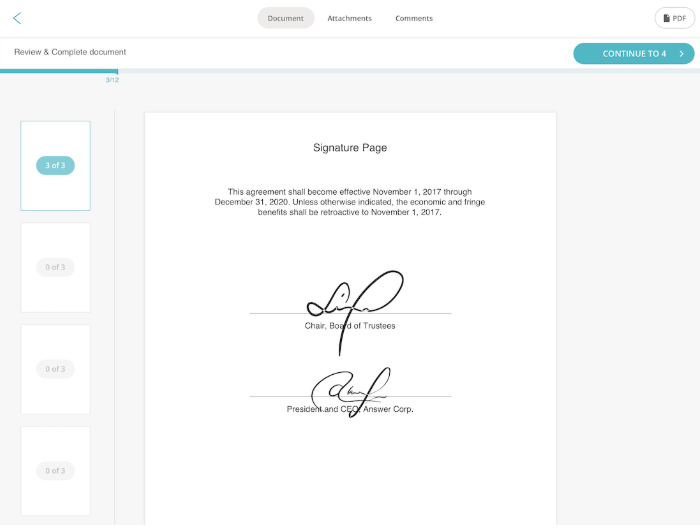
Notarization adds another layer. All signers and the notary join a virtual meeting room. The notary verifies the signer’s identity and confirms that they understand what they are signing and are doing so willingly. The notary applies an official seal and signature to the document.
Many documents require both the electronic signature and the notary seal. Real estate documents, legal affidavits, powers of attorney, and some HR and compliance forms often fall into this category.
What is Remote Online Notarization (RON)?
Remote online notarization (RON) is the digital version of traditional, in-person notarization. Instead of meeting a notary in person, the entire process happens online via secure audio and video.
RON allows a notary to verify a signer’s identity, witness the signing, and apply an official notary seal without anyone needing to be in the same room. The result carries the same legal effect as an in-person notarization, provided it complies with state and federal requirements.
Every RON session includes three core components.
- Identity verification: Before signing, the notary confirms the signer’s identity, typically through government-issued ID checks and knowledge-based or biometric verification. This step proves the signer is who they claim to be.
- Live video session: The signer and notary meet in real time via a live audio-video call. The notary observes the signing, confirms the signers’ intent, and may ask questions, just as they would during an in-person meeting.
- Tamper-evident electronic seal: Once the document is signed, the notary applies an electronic signature and seal. This seal makes the document tamper-evident. Any changes after notarization are clearly visible. This protects the integrity of the document.
Essentially, remote online notarization combines the convenience of eSignatures with the legal assurance of notarization. This makes it a practical option for modern digital workflows.
How RON Signing Works: The Complete Process
The remote online notarization process is convenient and legally valid. Here’s how a document becomes a fully notarized, tamper-evident record.
1. Signer Uploads Document
You start by uploading the document that needs to be notarized. This is often a PDF. You may also add the signer’s name, email, and any required signing fields.
In many workflows, you can use an eSignature for notary steps here as well, so the signing and notarization stay connected in a single, clean process.
2. Identity Verification
Before anything is notarized, the signer must prove their identity. The notarization platform guides the signer through identity checks. This usually includes validating a government-issued ID and confirming that the signer matches it. The notary must be confident that the right person is signing.
3. Live Video Session with Commissioned Notary
Next, the signer joins a live video call with a commissioned notary. The notary confirms the signer’s identity again, asks a few basic questions, and verifies intent. This is where the notarization happens in real time, just like an in-person appointment.
4. Electronic Signature and Notarial Certificate
During the session, the signer applies their electronic signature where needed. The notary then completes the notarial certificate. This certificate is the official statement that the notary verified the signer’s identity and witnessed the signing. It is a required part of the notarization record.
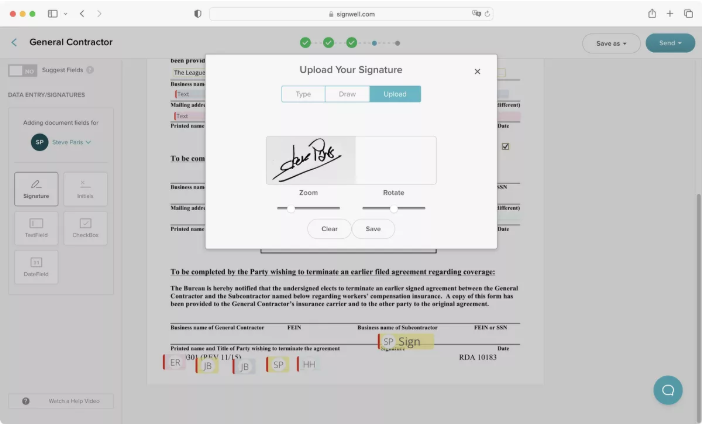
5. Digital Seal and Audit Trail
Finally, the notary applies an electronic signature and a tamper-evident digital seal. The notary platform produces an audit trail that documents what happened, when it happened, and who completed each step. Many RON systems also store the video session and related records to create a chain of evidence.
Is RON Signing Legal? State-by-State Guide
As of 2026, most states have adopted permanent laws that allow RON, while a small number still use temporary authorizations or have more limited remote notarization frameworks in place.
RON’s legal status depends on where the notary is commissioned. A notary must follow the law of their commissioning state when performing a RON session.
Documents notarized under one state’s RON law are generally accepted by courts, businesses, and agencies in other states, even if the receiving state hasn’t passed its own RON law. That said, you should always confirm the acceptance requirements with the party receiving the notarized document.
States Where RON Signing is Authorized
Currently, 45 states allow remote online notarization. RON is not permitted in Alabama, Connecticut, Georgia, Mississippi, and South Carolina.
That said, note that each state has specific RON signing regulations and requirements, such as identity verification processes and record-keeping protocols. Before you start hunting for a RON service, make sure you understand what’s required.
International RON Considerations
Remote notarization laws outside the United States vary widely. Some countries have specific rules for electronic signatures and online notarization, while others still require in-person notarization.
If you need a notarized document for use outside the U.S., check the destination country’s legal requirements. In many cases, you may also need an apostille or additional authentication to prove the notarization’s legitimacy internationally.
8 Main Documents That Require Notarization
Not every document needs notarization, but many important ones do. Below are the most common document types that often require both an electronic signature and a notary’s verification.
1. Real Estate Documents
These are used to buy, sell, or transfer property. Notarization helps prevent fraud and confirms the signer’s identity. Just make sure the notary service is MISMO compliant.
Examples: Deeds, mortgages, deeds of trust, property transfers, long-term leases, and easements.
2. Estate Planning Documents
These documents control how decisions and assets are handled. Notarization helps ensure intent and reduces disputes.
Examples: Wills, codicils, living trusts, advance health care directives, powers of attorney, and beneficiary designations.
3. Financial Documents
These are often notarized to protect lenders, institutions, and individuals from misuse or disputes.
Examples: Loan agreements, promissory notes, financial statements, bank transfer forms, and stock transfers.
4. Business Documents
These are required to formalize ownership, equity, authority, and long-term obligations.
Examples: Articles of incorporation, operating agreements, partnership agreements, business licenses, commercial leases, and vendor contracts.
5. Legal Documents
Used as sworn or legally binding statements where identity and intent matter.
Examples: Affidavits, sworn statements, settlement agreements, adoption papers, court filings, and some employment contracts.
6. Government Forms
Many agencies require notarization to validate identity and consent.
Examples: Public benefit applications, immigration documents, affidavits of support, and passport forms for minors.
7. Personal Documents
These are used to grant permission or formalize personal agreements.
Examples: Marriage licenses, travel consent forms, medical consent forms, school affidavits, and personal loan agreements.
8. International Documents
These often require notarization before additional authentication.
Examples: Documents used abroad, visa applications, international adoption paperwork, and forms that may require an apostille.
Benefits of Using eSignature Platforms and RON Together
Electronic signatures and remote online notarization are powerful when they work together. Using an eSignature for notary opens you up to these benefits.
1. Complete Transactions Faster
You no longer need to schedule in-person meetings or wait for documents to be mailed back and forth. Signers can complete their electronic signature and notarization in a single online flow. This saves a lot of time in the whole process.
2. Security and Fraud Prevention
A RON signature adds strong identity checks on top of electronic signatures. Notaries verify government-issued IDs and confirm intent during a live session. Tamper-evident seals indicate whether a document has been altered after signing. Together, these steps reduce fraud and protect all parties.
3. Accessibility and Convenience
Signers can complete notarized documents from anywhere with an internet connection. This helps remote teams, traveling professionals, and clients in different locations. It also improves accessibility for people who have difficulty attending in-person appointments.
4. Complete Audit Trails
Every step of the eSignature for notary process is recorded. Time stamps, identity verification records, electronic signatures, notary seals, and session details are all captured in a clear audit trail. This documentation helps you meet compliance requirements, supports record keeping, and strengthens the legal defensibility of your documents.
SignWell And Remote Online Notarization
SignWell is the best eSignature software for teams that want speed, security, and compliance. While SignWell does not perform remote online notarization itself, it handles the electronic signature portion of the process alongside an RON provider.
Many notarized documents start with an electronic signature. SignWell ensures that notary eSignatures are legally binding, tamper-evident, and supported by clear audit trails. This gives notaries and RON platforms confidence to complete the notarization step.
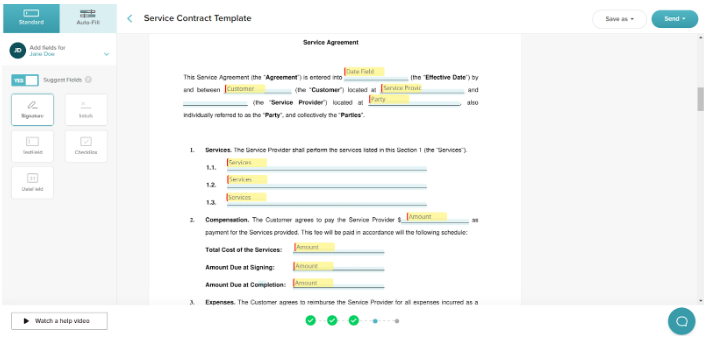
For businesses, this approach keeps your workflow flexible. You can use SignWell to prepare, send, and manage documents for signature, then connect with a RON signature partner when notarization is required. The result is a fully digital process that meets legal standards without forcing everything into a single tool.
Get Started with Electronic Signatures Today
Ready to simplify notarized documents without slowing your workflow?
SignWell provides secure, legally binding eSignatures that integrate seamlessly with remote online notarization. Your documents are compliant, traceable, and, more importantly, legally binding in jurisdictions that allow RON. We use enterprise-grade security and clear audit trails that your business can depend on.
Sign up now for free to get started.